Zoho Books Guide for Indian Businesses: 2026 Setup and GST
A complete Zoho Books guide for Indian businesses in 2026: pricing from free to ₹9,999, GST filing, e-invoicing, setup steps, and when to outsource bookkeeping.


Documents Required
- Your GSTIN and GST registration details
- Company PAN and business registration documents
- Bank account details and recent statements
- Your chart of accounts or a list of income and expense heads
- Opening balances as on the migration date
- Customer and vendor master details
Tools & Prerequisites
- A Zoho Books account (free plan or a paid plan)
- A web browser or the Zoho Books mobile app
- Your latest bank statements for reconciliation
- Existing data from Tally or Excel, if migrating
Zoho Books is cloud accounting software built for Indian GST compliance, and it is one of the most practical tools a business can use to manage invoicing, expenses, banking, and GST returns in one place. For 2026, it offers six plans, from a genuinely free tier for businesses under ₹25 lakh turnover up to ₹9,999 per month for large enterprises, and it files GSTR-1 and GSTR-3B directly because Zoho is a registered GST Suvidha Provider. This guide explains the plans, the GST features, how to set it up, and when it makes sense to pair the software with professional bookkeeping. As an official Zoho partner, IncorpX helps Indian businesses set up and run Zoho Books correctly, and can also handle the bookkeeping for you.
- Free for small businesses: the free plan has no time limit for businesses under ₹25 lakh annual turnover.
- Six plans: Free, Standard (₹899), Professional (₹1,499), Premium (₹2,999), Elite (₹5,999), and Ultimate (₹9,999) per month, plus 18 percent GST.
- Built for GST: Zoho is a registered GSP, so you file GSTR-1 and GSTR-3B directly from the software.
- E-invoicing and e-way bills are supported, with IRN and QR code generation for businesses above the ₹5 crore threshold.
- Annual billing saves about 17 percent compared with paying monthly.
- The software is only half the job: accurate books still need someone to record, reconcile, and review them.
What Is Zoho Books and Who Is It For?
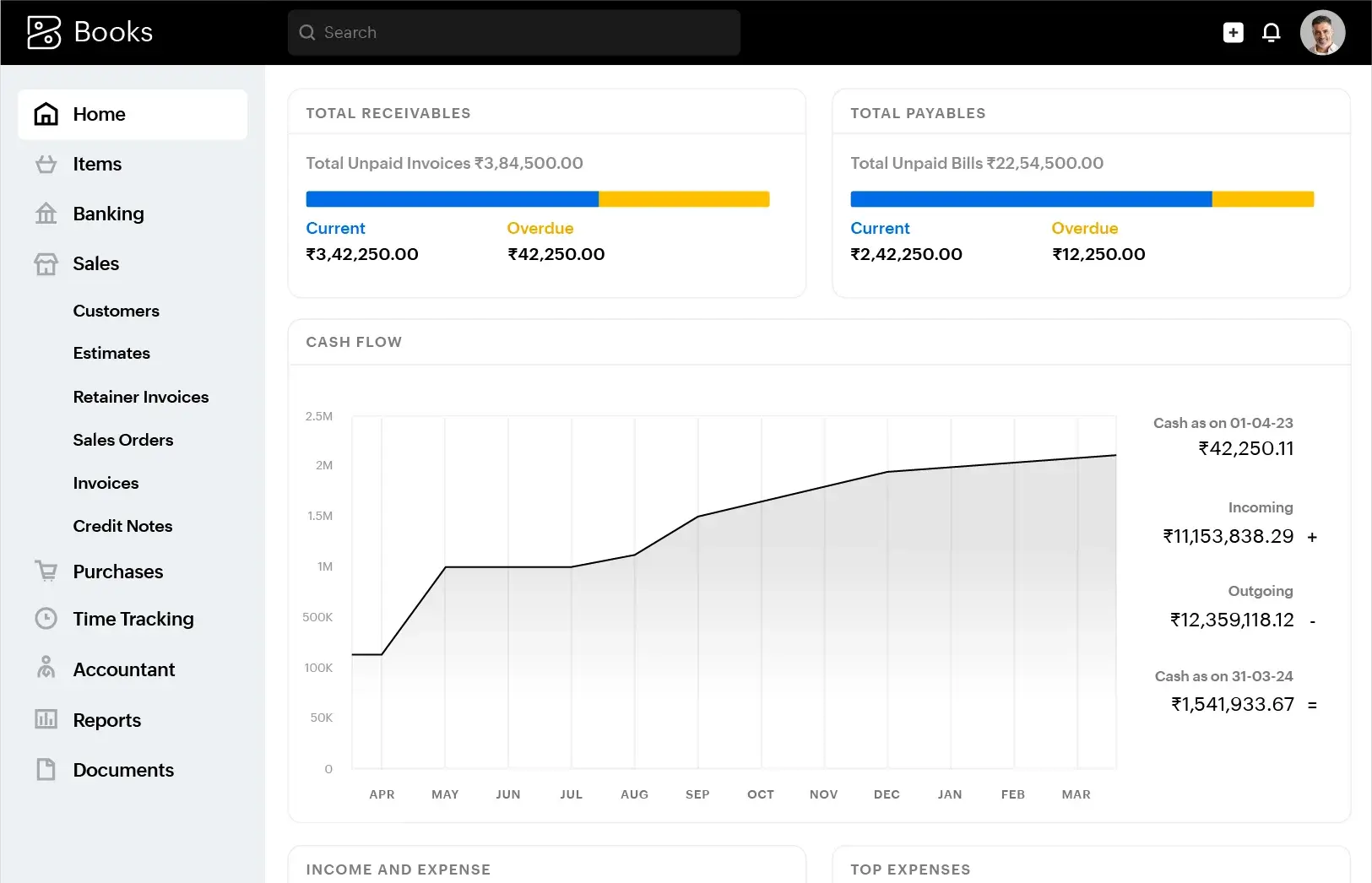
Zoho Books is cloud-based accounting software that manages invoicing, expenses, banking, inventory, GST, and financial reports for small and medium businesses in India. It runs on a browser, phone, and tablet, so your books are accessible anywhere.
It suits freelancers, startups, and growing SMEs that want GST compliance built in rather than bolted on. Because it is designed for the Indian regime, GST invoicing, GSTR filing, e-invoicing, and TDS are core features, not paid extras. A freelancer can start on the free plan for compliant invoicing, while a growing company can use the higher tiers for inventory, multiple GSTINs, and automation. If you would rather someone set it up and run it for you, IncorpX, an official Zoho partner, offers professional bookkeeping and accounting services built around tools like Zoho Books.
How Much Does Zoho Books Cost in India in 2026?
Zoho Books has six plans in India: Free, Standard at ₹899 per month, Professional at ₹1,499, Premium at ₹2,999, Elite at ₹5,999, and Ultimate at ₹9,999 per month, each per organisation and excluding 18 percent GST. Annual billing is cheaper than monthly by roughly 17 percent.
| Plan | Price per month | Best for |
|---|---|---|
| Free | ₹0 (turnover under ₹25 lakh) | Freelancers and very early startups |
| Standard | ₹899 | Small businesses needing bank feeds and 3 users |
| Professional | ₹1,499 | Growing businesses with inventory or multi-GSTIN |
| Premium | ₹2,999 | Larger teams needing more users and controls |
| Elite | ₹5,999 | Businesses with advanced inventory needs |
| Ultimate | ₹9,999 | Enterprises needing bundled analytics |
The subscription is only part of the total cost. Also budget for 18 percent GST on every plan, extra users (around ₹150 to ₹180 per user per month), any add-ons like Zoho Payroll (a separate subscription), and one-time setup and migration. Prices here are indicative and can change, so confirm the current figures on Zoho's official India pricing page before you commit to an annual term.
Ready to try it? You can start on the free plan and upgrade later, and as an official Zoho partner, IncorpX can help you set it up right.
IncorpX is an official Zoho partner. If you sign up through the link above, IncorpX may earn a commission at no extra cost to you, and you get a partner to help with setup and support. We recommend Zoho Books on its merits for Indian businesses.
Is There a Free Plan for Zoho Books in India?
Yes. Zoho Books has a genuinely free plan, with no time limit, for businesses with annual turnover under ₹25 lakh. It covers 1 user plus 1 accountant and up to 1,000 transactions a year.
The free plan includes GST-compliant invoicing, expense tracking, manual bank reconciliation, and basic reports, which is enough for many freelancers and solo founders. There is no credit card required, and you can stay on it indefinitely as long as you remain under the turnover and transaction limits. It is also the ideal way to test whether Zoho Books fits your workflow before paying. The free plan stops being the right fit the moment you cross ₹25 lakh turnover, need automated bank feeds, need recurring invoices, or need more than one user.
What GST Features Does Zoho Books Offer?
Zoho Books offers GST-compliant invoicing, direct GSTR-1 and GSTR-3B filing, e-invoicing with IRN generation, e-way bills, and input tax credit reconciliation against GSTR-2B. Because Zoho is a registered GST Suvidha Provider, you can file without switching to the GST portal.
GST is at the core of the product because it is built for India. Across the plans you typically get:
- GST invoicing with correct HSN and SAC codes and automatic place-of-supply logic (CGST, SGST, or IGST).
- GSTR-1 and GSTR-3B preparation and direct filing from your books.
- E-invoicing (IRN) and e-way bills for businesses that cross the applicable thresholds.
- Input tax credit reconciliation against GSTR-2B to keep your ITC claims clean.
- GSTR-9 annual return support.
Exactly which GST features are available depends on the plan, with e-invoicing available from the Professional tier. Getting GST configured correctly at setup is what makes filing smooth later, and it is a common reason businesses bring in a professional. IncorpX handles both GST registration and GST return filing alongside bookkeeping.
What Are the Key Features of Zoho Books Beyond GST?
Beyond GST, Zoho Books offers automated bank feeds, invoicing and payment reminders, expense and bill management, inventory tracking, TDS handling, project time tracking, and detailed financial reports. It covers the full accounting cycle for most businesses, and the vendor-bill side pairs well with dedicated accounts payable services when bill volumes grow.
Banking and Reconciliation
On paid plans, Zoho Books connects to your bank and pulls transactions automatically, so reconciliation stays current. This is one of the biggest time savers over desktop software, where reconciliation is often a manual month-end scramble.
TDS Management
From the Standard plan, Zoho Books auto-calculates TDS based on vendor category and payment type, such as Section 194C for contractors, 194J for professionals, and 194H for commission. It produces the data needed for TDS returns, which reduces filing errors. For businesses processing high volumes of vendor bills and payments, IncorpX also offers accounts payable management.
Inventory and Invoicing
Higher plans add inventory tracking, recurring invoices, and multi-currency support (available on Elite and Ultimate). Invoicing includes payment reminders and online payment links, which help businesses get paid faster.
Reports
Zoho Books generates profit and loss statements, balance sheets, cash flow, GST reports, and more. These reports are only as good as the data behind them, which is where disciplined bookkeeping matters. Turning those reports into decisions is where Virtual CFO support adds value for growing businesses.
How Do You Set Up Zoho Books for an Indian Business?
To set up Zoho Books, create your organisation, configure GST with your GSTIN, set up your chart of accounts, connect your bank, customise invoices, enter opening balances, and invite your accountant. Basic setup takes a few hours; a full migration takes a day or two.
Here is the sequence:
- Create your organisation: enter business name, address, state (this sets place of supply), financial year, and INR as base currency.
- Configure GST: add your GSTIN and enable GST so the correct CGST, SGST, or IGST applies automatically.
- Set up the chart of accounts: adjust income and expense heads to match your business.
- Connect your bank: enable automated feeds on paid plans, or import statements on free.
- Customise invoices: add your logo and GSTIN, and enable e-invoicing if above the ₹5 crore threshold.
- Enter opening balances: bank balances, unpaid invoices and bills, and GST balances as on your migration date.
- Add users and invite your accountant: assign roles within your plan's user limit.
In our experience, most Zoho Books problems trace back to a rushed setup: wrong state, missing GSTIN, a messy chart of accounts, or opening balances that do not tally. Getting these right at the start saves months of clean-up. If you would rather not risk it, a professional can set up your organisation, GST, and opening balances correctly and hand you a clean, ready-to-use system.
Zoho Books vs Tally: Which Should You Choose?
Choose Zoho Books for cloud access, automated bank feeds, a mobile app, and direct GST filing on a monthly subscription; choose TallyPrime for a desktop-first system with a one-time licence. Both handle Indian GST, but they suit different working styles.
| Feature | Zoho Books | TallyPrime |
|---|---|---|
| Access | Cloud, mobile, and web | Desktop-first |
| Pricing | Monthly or annual subscription | One-time licence |
| Bank feeds | Automated on paid plans | Manual |
| GST filing | Direct via GSP | Supported, with portal steps |
| Collaboration | Multi-user cloud access | Local, limited |
Many Indian businesses migrate from Tally to Zoho Books for the cloud access and automation, and Zoho Books supports importing your Tally data. The migration is smoothest when GST and opening balances are configured properly, which is worth getting right the first time.
Do You Still Need a Bookkeeper if You Use Zoho Books?
Yes, in most cases. Zoho Books handles the software side, but accurate books still need someone to record transactions correctly, reconcile accounts, review GST, and interpret the numbers. The tool speeds up the work; it does not replace the judgement.
This is the point most software comparisons miss. Zoho Books will happily record whatever you enter, including mistakes. Misclassified expenses, unreconciled bank entries, wrong GST treatment, or missed TDS all still happen, and they surface at the worst times: during GST scrutiny, an audit, or investor due diligence. For many businesses, pairing Zoho Books with outsourced bookkeeping is actually cheaper than the software plus a full-time in-house accountant, and it keeps the books clean, compliant, and ready for decisions.
IncorpX provides professional bookkeeping on Zoho Books and other platforms, covering day-to-day recording, bank reconciliation, GST review, and monthly reporting, so you get accurate books without hiring and managing an in-house team. We also handle accounting, income tax filing, and Virtual CFO support as you grow.
Why Outsource Your Bookkeeping to IncorpX?
Outsourcing your bookkeeping gives you accurate, compliant, up-to-date books without the cost and effort of hiring an in-house accountant, so you can focus on running the business. It combines the right software with the right people.
The benefits founders and business owners tell us matter most are:
- Lower cost: professional bookkeeping typically costs less than a full-time accountant's salary plus software and training.
- Compliance you can trust: GST, TDS, and reporting are handled by people who do it every day, reducing notices and penalties.
- Always current books: reconciliation and recording happen regularly, not in a year-end rush.
- Investor-ready reporting: clean books and clear reports when you need to raise funds or file returns.
- Scales with you: the same partner supports you from free-plan startup to multi-GSTIN company.
If you want your books set up right and kept clean on Zoho Books, that is exactly what IncorpX bookkeeping does.
Summary
Zoho Books is one of the strongest cloud accounting options for Indian businesses in 2026: it starts free for businesses under ₹25 lakh turnover, scales through six plans up to ₹9,999 per month, and files GSTR-1 and GSTR-3B directly as a registered GST Suvidha Provider, with e-invoicing and TDS built in. The software is powerful, but accurate books still depend on disciplined recording, reconciliation, and review, which is why many businesses pair Zoho Books with professional bookkeeping. IncorpX can set up Zoho Books correctly and keep your books clean, compliant, and decision-ready. Listed amounts are Zoho's indicative subscription prices; IncorpX professional charges are quoted separately, and government or statutory fees are charged at actuals.
Frequently Asked Questions
Is Zoho Books free in India?
How much does Zoho Books cost in India in 2026?
Can Zoho Books file GST returns?
Does Zoho Books support e-invoicing and e-way bills?
Is Zoho Books better than Tally?
Can I migrate from Tally to Zoho Books?
Which Zoho Books plan is best for a small business?
Does Zoho Books handle TDS?
Do I still need an accountant if I use Zoho Books?
Is there GST on Zoho Books subscription?
What documents do I need to set up Zoho Books?
Can Zoho Books manage multiple GSTINs?
Is Zoho Books good for startups?
Need Help With This Process?
Our experts are ready to assist you every step of the way. Get started with a free consultation today!